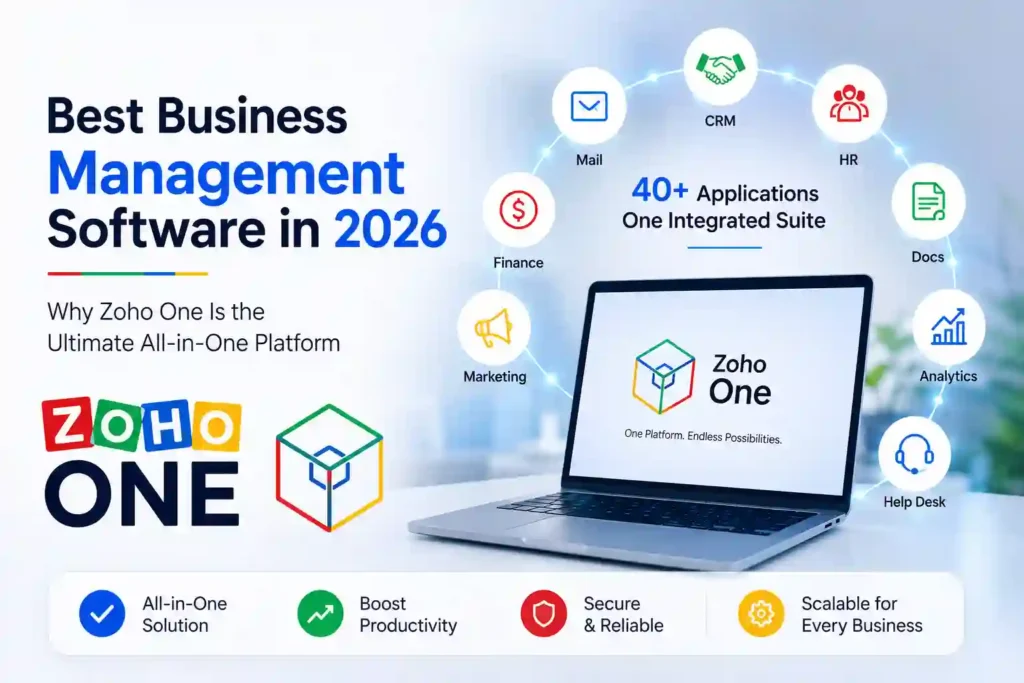
Running a modern business is more challenging than ever. Companies use multiple tools for customer relationship management (CRM), accounting, HR, project management, communication, marketing, and analytics. While these tools are powerful individually, managing them separately often leads to higher costs, scattered data, and reduced productivity.
This is where business management software becomes essential. Instead of switching between different applications, businesses can manage everything from a single platform. Among the many options available today, Zoho One stands out as one of the most complete business management solutions in 2026.
Whether you’re a startup, small business, or growing enterprise, Zoho One provides the tools needed to streamline operations, improve collaboration, automate repetitive tasks, and scale efficiently.
What Is Business Management Software?
Business management software is an integrated platform that helps organizations manage their daily operations from one place.
It typically includes:
- Customer Relationship Management (CRM)
- Accounting & Finance
- Human Resource Management
- Project Management
- Team Collaboration
- Email & Communication
- Marketing Automation
- Analytics & Reporting
- Workflow Automation
Instead of purchasing separate software for every department, businesses can save both time and money by using an all-in-one solution.
As businesses grow, so does operational complexity. Teams often use different software for sales, finance, customer support, and marketing, making it difficult to keep data synchronized.
An integrated business platform offers several advantages:
- Centralized business data
- Better collaboration between departments
- Lower software costs
- Increased employee productivity
- Easier reporting and analytics
- Automated workflows
- Improved customer experience
This is exactly where Zoho One excels.
Zoho One is an all-in-one business management platform that includes more than 45 integrated business applications under a single subscription.
Rather than buying multiple software products, businesses get access to a complete ecosystem that covers nearly every business function.
Some of the most popular applications included are:
- Zoho CRM
- Zoho Books
- Zoho Projects
- Zoho Mail
- Zoho Desk
- Zoho People
- Zoho Analytics
- Zoho Meeting
- Zoho Cliq
- Zoho Inventory
- Zoho Flow
- Zoho Campaigns
All these applications work together seamlessly, reducing manual work and improving operational efficiency.
1. Customer Relationship Management (CRM)
Zoho CRM helps businesses manage leads, contacts, sales pipelines, follow-ups, and customer interactions from one dashboard.
Key benefits include:
- Lead management
- Sales automation
- Customer tracking
- Email integration
- Sales forecasting
- Pipeline management
This enables sales teams to close deals faster while improving customer relationships.
2. AI-Powered Business Automation
Zoho’s built-in AI assistant, Zia, enhances productivity by providing:
- Sales predictions
- Smart recommendations
- Business insights
- Report generation
- Workflow suggestions
- Intelligent search
AI helps businesses automate repetitive tasks and make faster, data-driven decisions.
3. Project Management
Managing projects becomes easier with Zoho Projects.
Features include:
- Task management
- Milestone tracking
- Team collaboration
- Time tracking
- Gantt charts
- Project reporting
Whether you’re running an IT company, digital agency, or consulting business, Zoho Projects helps teams stay organized.
4. Finance & Accounting
Zoho One includes powerful finance applications that simplify accounting operations.
Businesses can manage:
- Invoices
- Expenses
- Inventory
- Purchase orders
- Tax reports
- Financial dashboards
This reduces manual bookkeeping and improves financial visibility.
5. Human Resource Management
Zoho People simplifies employee management through features like:
- Employee database
- Leave management
- Attendance tracking
- Performance reviews
- HR workflows
- Recruitment support
HR teams can handle everyday operations efficiently from one platform.
6. Communication & Collaboration
Effective communication is critical for every business.
Zoho One includes:
- Zoho Mail
- Zoho Cliq
- Zoho Meeting
- Shared calendars
- File management
- Team chat
These tools improve collaboration between remote and office teams.
7. Analytics & Reporting
Zoho Analytics enables businesses to create interactive dashboards and monitor KPIs in real time.
Organizations can analyze:
- Sales performance
- Marketing campaigns
- Financial reports
- Employee productivity
- Customer behavior
Real-time insights help business owners make informed decisions.
Benefits of Using Zoho One
One Subscription for Everything
Instead of paying for multiple software subscriptions, businesses get access to more than 45 integrated applications under one platform.
Increased Productivity
Employees spend less time switching between applications and more time completing meaningful work.
Business Automation
Routine tasks such as lead assignments, approvals, reminders, and notifications can be automated.
Better Collaboration
Teams work together using shared data, improving communication and reducing duplication.
Scalable Platform
Zoho One grows with your business, making it suitable for startups as well as large enterprises.
Enterprise-Level Security
Businesses benefit from advanced security features, role-based access controls, and centralized user management.
Who Should Use Zoho One?
Zoho One is ideal for:
- Startups
- Small businesses
- IT companies
- Marketing agencies
- Ecommerce stores
- Educational institutions
- Healthcare organizations
- Consultants
- Manufacturing companies
- Service providers
While Microsoft 365 focuses mainly on productivity tools such as Word, Excel, Outlook, and Teams, Zoho One goes much further by providing CRM, accounting, HR, customer support, project management, marketing automation, analytics, and AI-powered business workflows in one integrated platform.
For businesses looking for a complete operating system rather than just office productivity software, Zoho One offers broader functionality.
Google Workspace is excellent for email, documents, cloud storage, and collaboration.
However, businesses still need additional software for CRM, finance, HR, customer support, and automation.
Zoho One combines all these capabilities into a single ecosystem, reducing the need for third-party applications.
Pros and Cons
Pros
- 45+ integrated business applications
- Built-in AI assistant
- Excellent CRM capabilities
- Powerful workflow automation
- Affordable pricing
- Mobile applications
- Cloud-based access
- Scalable for growing businesses
Cons
- Initial setup may require planning
- Some advanced customizations have a learning curve
- Small teams may not use every included application
Is Zoho One Worth It in 2026?
If your business currently relies on multiple software subscriptions for CRM, accounting, HR, project management, communication, and analytics, switching to Zoho One can simplify operations significantly.
Its integrated ecosystem, AI-powered automation, and extensive app library make it one of the best business management platforms available today.
For startups and growing companies, Zoho One offers excellent value by reducing costs while improving productivity.
Final Verdict
Finding the right business management software can have a major impact on productivity and growth. Zoho One stands out because it combines CRM, accounting, HR, project management, communication, analytics, and automation into one powerful platform.
Instead of managing disconnected tools, businesses can centralize operations, improve collaboration, and make faster decisions from a single dashboard.
If you’re looking for the business management software in 2026, Zoho One deserves a place at the top of your shortlist.